Free football lineup builder
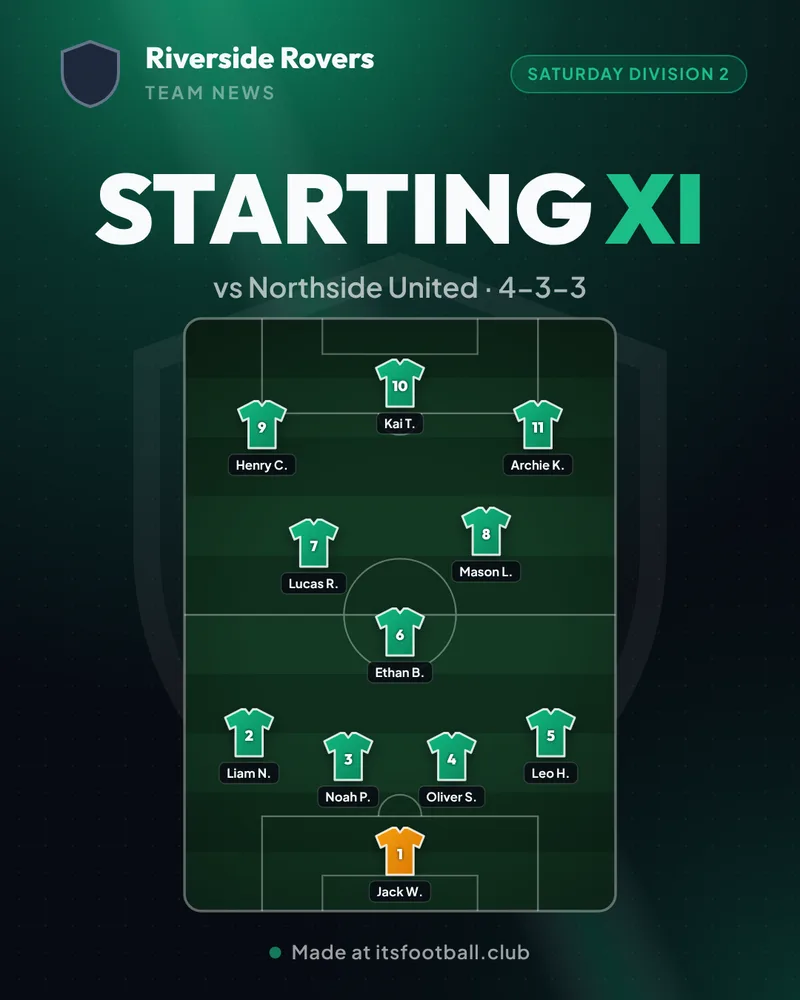
Build and download soccer lineup graphics for 5, 7, 9, or 11-a-side matches across 28 preset tactical formations. Add player names, shirt numbers, captain bands, bench substitutes (up to 20 squad members), club badges, and sponsor logos. Export high-resolution post (1080 × 1350) or story (1080 × 1920) PNG images free without signing up.
Updated
Tap a player to name them. Drag to move them anywhere.
Private by design. All photos you upload stay on your device. They are processed in your browser and never uploaded to or stored on our server.
Team
Look
Players
- GK
- LB
- CB
- CB
- RB
- CDM
- CM
- CAM
- LW
- ST
- RW
Subs
- SUB
- SUB
- SUB
- SUB
Named subs are listed under the lineup on the image. Drag a sub onto a player on the pitch to swap them in.
How to make a lineup graphic
- Pick the format and formation. 5-a-side, 7-a-side, 9-a-side or 11-a-side, then one of 28 formations, or free form.
- Name your players. Tap a player on the pitch, or use the list, to type their name, shirt number and position, and pick a captain.
- Move players around. Drag anyone to where they will actually play. The lineup switches to free form so your exact positions are kept.
- Choose the look. Team colour, your badge, player icons (circle, jersey, square, hexagon or triangle) and a pitch or list layout.
- Download the image. A post (1080 × 1350) or story (1080 × 1920) PNG, ready for Instagram, Facebook or the team WhatsApp.
What you get
Formations you can use
Every format starts from a common formation, and Free form lets you put players anywhere.
11-a-side
Open the 11-a-side lineup builderFull matches
- 4-3-3
- 4-2-3-1
- 4-4-2
- 3-5-2
- 3-2-4-1
- 4-1-4-1
- 4-4-1-1
- 4-1-2-1-2
- 4-5-1
- 3-4-3
- 5-3-2
- 5-4-1
What it does
- 5, 7, 9 and 11-a-side formats
- 28 formations plus free form
- Tap a player to name them; drag to move
- Shirt numbers, positions and captain
- Circle, jersey, square, hexagon or triangle player icons
- Team colour and your own badge
- Pitch or list layout
- Subs bench, up to 20 players in the squad
- Sponsor logos along the bottom
- Backgrounds in dark, midnight, your team colour or two-tone, with stripes, hoops, chevron or halftone patterns and an optional light shine
- Post (4:5) and story (9:16) PNG download
- No sign-up, nothing uploaded
Questions
What is the best free football lineup builder?
itsfootball.club's lineup builder is free with no account or ads. It covers 5, 7, 9 and 11-a-side with 28 formations plus free form, and downloads a post or story image for social media and WhatsApp.
How do I make a soccer lineup graphic?
Pick your format and formation, tap each player on the pitch to type their name and number, drag them into position, choose your team colour and badge, then press Download image. It takes about a minute.
Do I need to sign up or install an app?
No. It runs in your phone or computer browser with no login. Your lineup is kept only in your own browser, and the image is drawn on your device, so nothing is uploaded, not even your badge or sponsor logos.
Can I add subs and sponsors to the lineup graphic?
Yes. Choose the squad size under Subs (up to 20 players, 15 for 11-a-side to start with) and type the subs' names; they are listed under the lineup. Add up to 6 sponsor logos under Look and they appear in a strip along the bottom of the image.
What is the best formation for 7-a-side?
2-3-1 is the most common 7-a-side formation in junior football, because it gives width in midfield and a clear striker. 3-2-1 is safer at the back, and 2-1-2-1 suits a team that keeps the ball.
What is the best formation for 9-a-side?
3-2-3 is a popular 9-a-side shape for attacking width. 3-3-2 adds a midfielder for control, and 4-3-1 is the most defensive of the common shapes.
What is the best 5-a-side formation?
1-2-1 (a diamond) is the usual 5-a-side shape: one defender, two wide players and a pivot up front. 2-1-1 is steadier at the back, and 2-2 is simple for casual games.
Can I show the lineup as a list instead of a pitch?
Yes. Choose List under Image style for a numbered team sheet with the captain marked. Pitch is the default.
Can I change the background of the lineup graphic?
Yes. Under Look, pick a background (Dark, Midnight, your team colour, or Two-tone with a second colour), a pattern (dots, stripes, hoops, chevron, halftone or plain) and switch on Light shine for rays of light and a glossy sweep.
What size is the image?
Post is 1080 × 1350 for an Instagram or Facebook feed post and WhatsApp chats. Story is 1080 × 1920 for Instagram and Facebook stories and WhatsApp status.
Can I see who is available before I pick the team?
Yes, with a free itsfootball.club club site. Players mark themselves available for each fixture, you pick the lineup from that squad, and it publishes to your club's match page with live scores.
Running a club? See how the free live match centre works, or launch your free club site.
Read the guide
- MiniRoos rules by agePlayers, subs, match length and pitch size, under 6 to under 11
- How to start a football club in AustraliaStep-by-step: association affiliation, incorporation, constitution & kits
- Is the ground closed after rain? Sydney councilsWet weather inspection times, council status hotlines and weekend ground rules
Builders for each format
- Equal playing time calculatorFair minutes and a sub schedule
- 11-a-side lineup builderOpens on 4-3-3
- 9-a-side lineup builderOpens on 3-3-2
- 7-a-side lineup builderOpens on 2-3-1
- 5-a-side formation builderOpens on the 1-2-1 diamond
- 9-a-side substitution plannerSub rotation for 9v9
- 7-a-side substitution plannerSub rotation for 7v7
- 5-a-side substitution plannerRolling subs for 5v5
- Match result graphic makerFull-time score for stories and posts
- Football player card makerYour photo, rating and season stats
- Soccer tournament makerGroups, knockout or league, live link
- Season fee calculatorBreak-even subs, card vs cash
- Free football toolsEvery free tool, no sign-up