Free match result & Player of the Match graphic maker
Generate professional match result and Player of the Match graphics for your soccer club in 60 seconds. Add team badges, final scores, penalty shootouts, goalscorer minutes, and match photos. Download high-resolution PNG graphics formatted for 9:16 stories (1080 × 1920), 4:5 feed posts (1080 × 1350), or 1:1 squares (1080 × 1080) free without login.
Updated
Live preview. Drag it up or down to move the photo.
Graphic
Teams
Final score
Goalscorers (optional)
Home Team
Away Team
Player of the Match (optional)
Shows as a row on the result. Choose Player of the Match above for a card of its own.
Background
Match details (optional)
Image sizes
Story 9:16
1080 × 1920 px
Instagram and Facebook stories, WhatsApp status. Text stays clear of the app’s own bars at the top and bottom.
Post 4:5
1080 × 1350 px
The Instagram feed, where 4:5 fills more of the screen than a square, plus Facebook groups and WhatsApp chats.
Square 1:1
1080 × 1080 px
Facebook pages, X, club websites and anywhere that crops to a square.
Tips for a better result graphic
- Post at full time while the result is fresh: it takes about a minute once your teams are saved.
- Add both badges. A team without one gets a shield with its initials in its colour.
- Pick a photo with space at the top and a dark area behind the score, or turn up Darkness so the text reads.
- Junior teams: use first names or initials for scorers, and only post photos of players you have permission to share.
- Use the same size every week so your feed looks like one set.
Player of the Match graphics
Choose Player of the Match at the top of the tool for a card of its own: their photo fills the top, with their name, a line about their game and the score underneath. There is a page just for it too: the Player of the Match graphic maker.
What you get
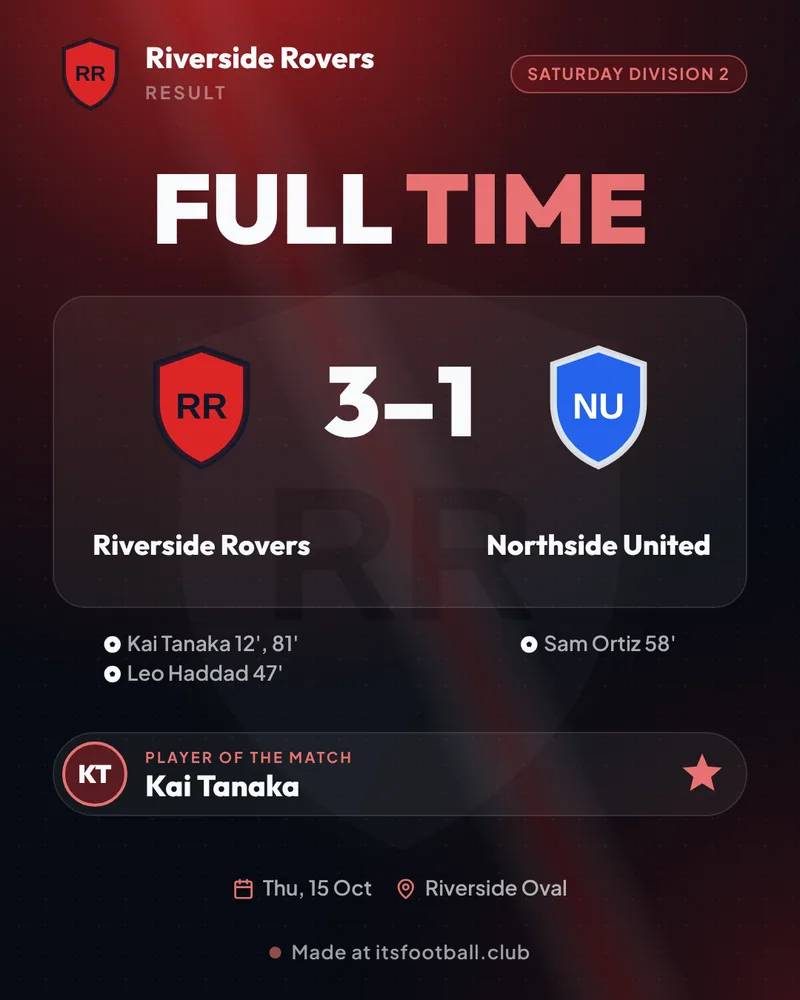
How to make a match result graphic
- Add the teams. Type both team names, add their badges and pick each team’s colour. Mark which one is your team.
- Enter the final score. Use the + and − buttons, and tick Decided on penalties for a shootout.
- List the goalscorers. Add each goal with its minute, and mark penalties (P) and own goals (OG). This is optional.
- Add a Player of the Match and a photo. Type their name, then choose a stock photo, your own photo or your team colour as the background.
- Download or share. Pick Story, Post or Square and download the PNG, or share it straight to Instagram, Facebook or WhatsApp from your phone.
Questions
What is the best free app to make football result graphics?
itsfootball.club’s result graphic maker is free with no account, no ads and no app to install. Add both badges, the final score, goalscorers and a Player of the Match, choose a photo and download a story, post or square image in about a minute.
How do I make a full-time score graphic for Instagram?
Type both team names and add their badges, set the score with the + and − buttons, add the goalscorers and minutes, choose Story 9:16 for stories or Post 4:5 for the feed, then press Download image (or Share on a phone to go straight to Instagram).
What size should a match result graphic be?
Use 1080 × 1920 (9:16) for Instagram and Facebook stories and WhatsApp status, 1080 × 1350 (4:5) for the Instagram feed, and 1080 × 1080 (1:1) for Facebook pages and websites. The tool makes all three.
Can I add a Player of the Match?
Yes. Type their name (and a photo if you like) and they appear as a row on the result graphic. Choose Player of the Match at the top for a card of their own with their photo, name and the score.
How do I show penalties and own goals?
Tap P beside a goal for a penalty, or OG for an own goal (type the name of the player who scored it, under the team that got the goal). Tick Decided on penalties to add the shootout score.
Is it a free Canva alternative for sports clubs?
For match results, yes: there is no template to edit and nothing to line up on a small screen. Fill in the score and it lays out the graphic for you, in your team colours.
Are my photos uploaded?
No. Badges and photos stay on your phone or computer and the image is drawn there. Your team names, colours and badges are remembered in your browser for next week.
Can I remove the watermark?
The free tool adds a small “Made at itsfootball.club” line. A free itsfootball.club club site makes the same graphics with your club’s own web address instead, straight from the live score.
Does it work for soccer, futsal and junior football?
Yes. It works for any football (soccer) match: senior, junior, women’s, futsal and small-sided games.
More free tools
- Football player card makerYour photo, rating and season stats
- Player of the Match graphic makerMOTM card with their photo
- Team of the Week card makerBlack and gold cards with the round
- Player of the Month card makerAn award card with the month
- Goalkeeper card makerClean sheets and saves on the card
- Soccer player card makerRec league and travel soccer stats
- Football lineup builder5, 7, 9 or 11-a-side, 28 formations
- Equal playing time calculatorFair minutes and a sub schedule
- Soccer tournament makerGroups, knockout or league, live link
- Season fee calculatorBreak-even subs, card vs cash
- Free football toolsEvery free tool, no sign-up
Running a club? See how the free live match centre works, or launch your free club site.