Soccer player card maker
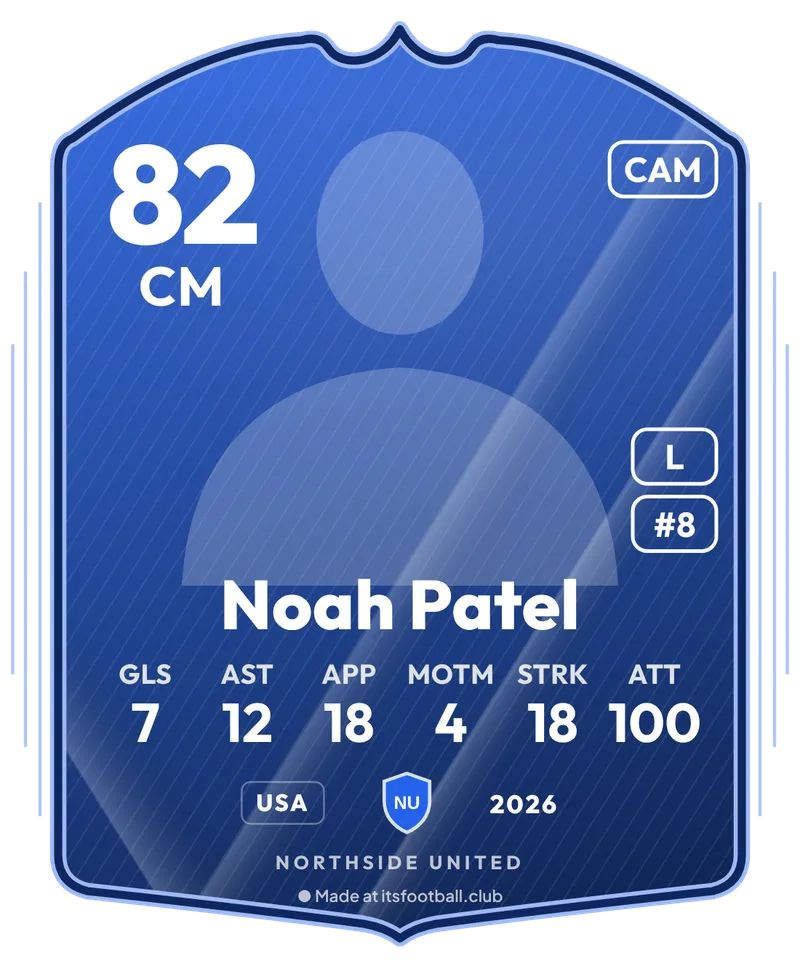
Design custom soccer trading cards for youth rec, travel, and adult league players in under a minute. Upload your uniform photo with automated background cutout, set your position and calculated rating, display season stats, and customize team colors and crests. Download transparent card PNGs or social media graphics (1080 × 1350 post, 1080 × 1920 story) free.
Updated
Live preview of your card.
Private by design. All photos you upload stay on your device. They are processed in your browser and never uploaded to or stored on our server.
Image
Card downloads just the card, with a see-through background, for stickers and chats.
Card type
The everyday card, in the finish you pick below.
Player
A photo from the waist or chest up, in your kit, works best.
Season stats
Up to 6 stats fit on the card (6 picked). Empty ones are left off. Attendance streak is games in a row turned up for.
Rating
Club
The badge sits at the bottom of the card; without one it shows a shield with the club’s initials. The colour is used by the Club finish and the New Signing card.
Finish
Tips for soccer cards
Rec and travel soccer
Count every league and tournament game in Appearances so the rating is fair per game.
Adult and Sunday league
Attendance streak is the stat your captain will love: games in a row you showed up for.
Team colors
Pick the Club finish and your team color, and add the team badge so the cards match.
Banquet and awards night
Make a card for every player and print them, or post one a day in the week before.
How the rating works
The rating comes from your stats per game, so a player who misses a few games isn't marked down. See the worked example on the football player card maker.
What you get
How to make a soccer player card
- Add the photo. Pick a photo in your uniform and tap Remove background.
- Name, position and stats. Type your name, pick your position and fill in the season stats.
- Team and finish. Add the team name, badge and color, and pick a finish.
- Download or share. Download the card alone, or as a story, post or square.
Questions
How do I make a custom soccer card?
Add your photo and tap Remove background, type your name and position, fill in goals, assists, games played and the rest, add your team badge and color, pick a finish and press Download card.
Is soccer the same as football here?
Yes. Soccer and football are the same game; this is the same free player card maker with tips for rec, travel and adult league soccer.
How is the rating worked out?
It starts at 55 and adds, per game played: goals × 12, assists × 8, Player of the Match awards × 10, clean sheets × 10 (keepers and defenders) and saves × 1, plus attendance % × 0.1 and 0.25 per game of the attendance streak (up to 20). It stays between 45 and 95, or you set your own.
Can I print the cards?
Yes. Download the Card size (1100 × 1325) and print it at about 2.5 × 3 inches or larger.
Is my photo uploaded?
No. The photo stays on your device and the card is drawn there.
More free tools
- Match result graphic makerFull-time score for stories and posts
- Football player card makerYour photo, rating and season stats
- Player of the Match graphic makerMOTM card with their photo
- Team of the Week card makerBlack and gold cards with the round
- Player of the Month card makerAn award card with the month
- Goalkeeper card makerClean sheets and saves on the card
- Football lineup builder5, 7, 9 or 11-a-side, 28 formations
- Equal playing time calculatorFair minutes and a sub schedule
- Soccer tournament makerGroups, knockout or league, live link
- Season fee calculatorBreak-even subs, card vs cash
- Free football toolsEvery free tool, no sign-up
Running a club? See how the free live match centre works, or launch your free club site.